How the Reaction Time Test Works
Ever wonder what’s actually happening between the moment a screen flashes and the moment your finger hits the button? There’s more going on in that tiny gap than most people realize, and understanding it makes your score a whole lot more meaningful than just a random number in milliseconds.
What This Test Is Really Measuring
A reaction time test looks simple on the surface. A box turns red, you wait, it turns green, you click as fast as you can, and a number appears. But that single number is actually bundling together several separate steps that happen in a blur, one right after another.

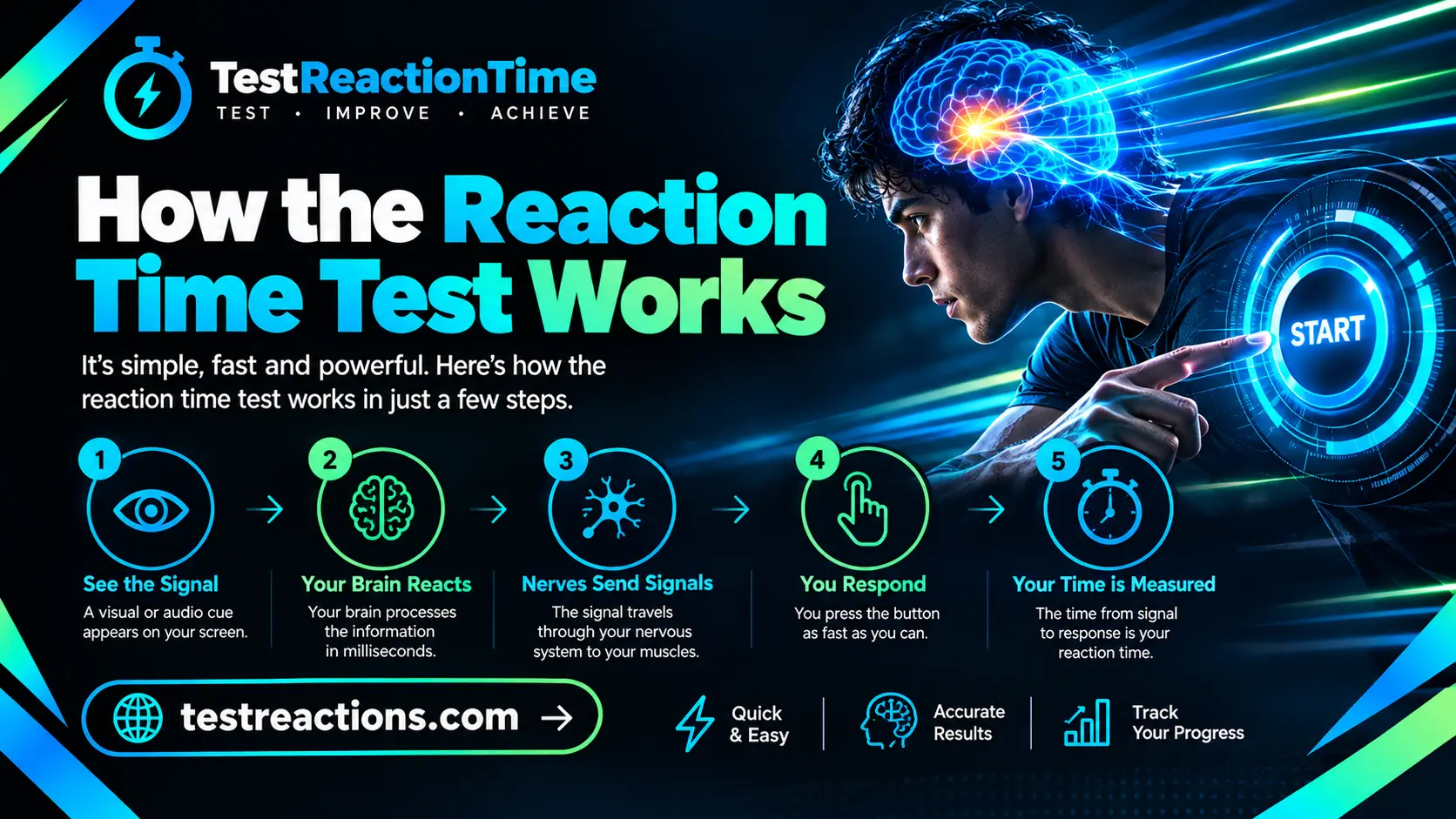
First, your eyes need to physically detect the color change. That signal then travels along your optic nerve up to your visual cortex, where your brain processes what it just saw. From there, your brain has to decide that yes, this is the moment to act, and send a motor command down through your nervous system to your hand. Finally, your finger has to physically move and press the button or click the mouse. All of that, seeing, processing, deciding, and moving, gets compressed into the single millisecond figure you see on screen.
So when people ask what a reaction time test actually measures, the honest answer is that it’s testing your entire perception to action pipeline, not just your reflexes in isolation. It’s closer to a full snapshot of how quickly your nervous system can turn I noticed something into I did something about it.
The Stoplight Mechanic, Step by Step
Most online reaction time tests, including this one, use what’s often called a stoplight or click when green format, because it’s simple, intuitive, and doesn’t require any instructions beyond watch, then click.
Here’s what actually happens behind the scenes during a typical attempt. The screen starts red, signaling that you should wait and not click yet. After a short, randomized delay, usually somewhere between one and five seconds, the screen switches to green. The instant that switch happens, your browser starts a high precision internal clock. You click, tap, or press a key the moment you notice the change, and the browser immediately stops that clock and records the time gap in milliseconds.
That randomized delay before the green screen isn’t just a design choice, it’s actually essential to getting an honest result. If the timing were predictable, say exactly three seconds every single time, you could simply count in your head and click on cue without ever truly reacting to anything. Randomizing the delay forces your brain to genuinely respond to the visual stimulus in real time rather than anticipating it, which is exactly what makes the test a legitimate measure of reaction speed instead of a memory or rhythm exercise.
Why We Ask You to Take Several Attempts
If you’ve ever wondered why a reaction time test rarely settles for just one click, here’s the reasoning. A single attempt is genuinely noisy. Maybe you blinked at the wrong moment, maybe your attention briefly drifted, or maybe you got a little lucky and clicked right as the color changed with almost no delay at all. Any one of those scenarios can throw a single result way off from your true, typical speed.
Running the test five or so times and averaging the results smooths all of that out. Instead of judging yourself off one potentially unrepresentative click, you get a number that reflects your actual, repeatable reaction speed under normal conditions. This is standard practice across essentially every legitimate reaction time tool out there, not a quirk unique to any one site, because it’s simply how you get a number worth trusting.
The Clock Itself Is More Accurate Than You Might Think
Here’s something that surprises people once they learn it. The actual timing mechanism inside your browser is remarkably precise. Modern browsers expose a high resolution internal clock that can measure elapsed time down to a fraction of a millisecond, so the raw measurement itself isn’t the weak link in this whole process.
What’s far less controlled is everything sitting between that clock and you. Your monitor has to physically redraw the screen to show the color change, which takes a small but real amount of time depending on your display’s refresh rate. Your mouse or touchscreen has to detect your click and report it back to the browser, which also takes time depending on your hardware. And your browser itself might occasionally be busy running other background processes that introduce tiny, unpredictable delays. None of these add huge amounts of time individually, but stacked together, they explain most of the gap between your measured score and your true underlying biological reaction speed.
Why the Same Person Gets Different Scores on
This trips a lot of people up the first time they notice it. You take the test on your phone, get a certain score, then take the exact same test five minutes later on a desktop and see a noticeably different number, even though your actual reflexes obviously haven’t changed in between.
Monitor refresh rate is usually the single biggest factor. A standard 60Hz monitor only redraws the screen sixty times every second, meaning there’s an unavoidable wait of up to about seventeen milliseconds before a color change even becomes visible after it technically happens. Bump that up to a 144Hz monitor, common among gamers, and that wait drops to roughly seven milliseconds, shaving a small but real chunk of time off your score without any change in your actual reflexes.
Input device plays a role too. A wired mouse with a high polling rate reports your click to the computer far more frequently than a budget wireless mouse or an older touchscreen does, which means less delay between your physical click and the system actually registering it.
Background load on your device matters more than people expect. A phone or laptop juggling several open apps or browser tabs can introduce small, inconsistent delays that a freshly restarted, lightly loaded device simply won’t have.
None of this means the test is broken or unreliable, it just means comparing your score against a stranger’s isn’t a perfectly fair fight unless you know you’re both testing on similar hardware. The fairest comparison is always against yourself, on the same device, over time.
Anticipation and Why It Skews Results
Every so often, someone clicks a suspiciously fast time, something like 90 or 100 milliseconds, and assumes they’ve got superhuman reflexes. In reality, that kind of result almost always means they anticipated the change rather than genuinely reacted to it, guessing roughly when green was coming and clicking preemptively rather than in direct response to actually seeing it.
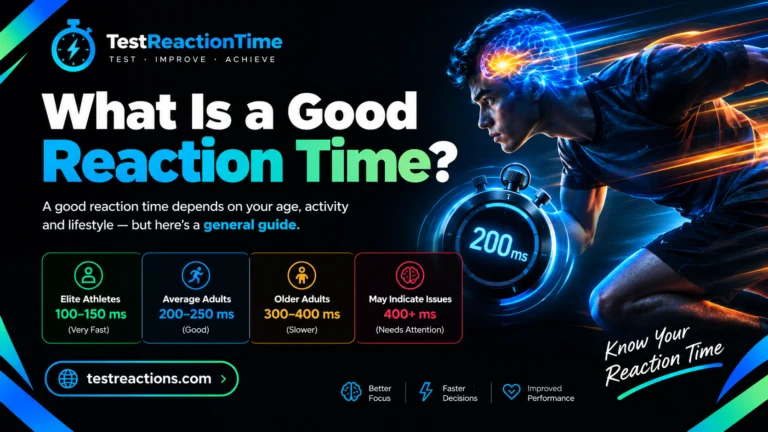
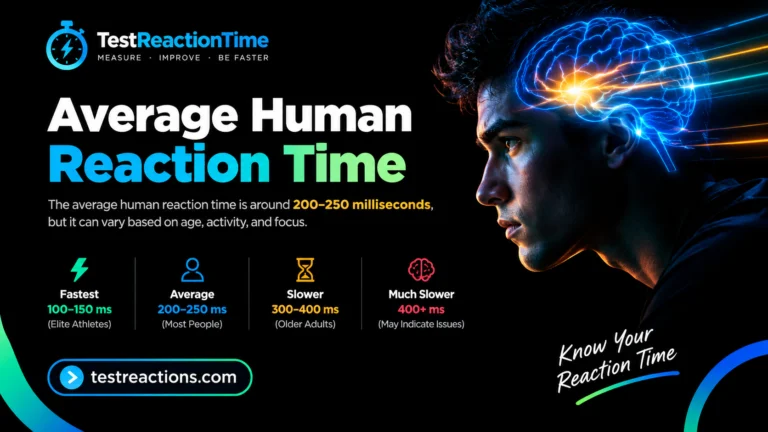
This is exactly why the randomized delay before each attempt matters so much, and why a well built test will flag or discard an impossibly fast click rather than counting it as a legitimate score. True human reaction time, even among elite athletes and professional gamers, essentially never drops meaningfully below 100 milliseconds, since that’s close to the physical floor of how quickly a nervous system can genuinely process a stimulus and initiate a response.
What Actually Slows You Down
Beyond hardware and anticipation, a handful of very human factors influence how fast you’ll test on any given day.
Poor sleep is probably the single biggest one. Even a single rough night can measurably slow your reaction speed, sometimes by a surprising amount, since your brain simply isn’t operating at full capacity on limited rest. Distractions matter too, since divided attention, whether that’s a notification popping up mid test or just a wandering mind, adds real delay to your response. Fatigue later in the day tends to produce slower results than a fresh attempt earlier on, and age plays a long term role as well, with reaction speed generally peaking in the early to mid twenties before gradually slowing by a small amount each year afterward.
None of these factors are permanent limitations though. Getting consistent, quality sleep, testing in a quiet, focused environment, and simply practicing regularly can all genuinely improve your average score over time.
Why This Kind of Test Is Actually Useful
It’s fair to ask whether a quick browser based click test is actually meaningful, given everything above about device latency and natural variation. The honest answer is that it’s genuinely useful, just not in the way people sometimes assume.
It isn’t a clinical grade instrument, and it shouldn’t be treated as a precise biological measurement you’d get from laboratory equipment. What it is, though, is a consistent, accessible way to track your own reaction speed over time, spot patterns like how sleep or fatigue affect you, and get a rough, honest sense of how you compare to typical ranges for your age and activity level. Athletes, gamers, and plenty of everyday curious people use exactly this kind of test as a simple, repeatable checkpoint, not as a replacement for a doctor’s equipment.
Frequently Asked Questions
What does a reaction time test actually measure?
It measures the full chain of perception, decision making, and motor response, from noticing a stimulus to physically reacting to it, not just pure reflex speed alone.
Why do I get a different score every time I test?
Natural variation in focus, timing, and even small device inconsistencies cause your score to shift slightly between individual attempts.
Why does the test ask for multiple attempts instead of just one?
A single click can be thrown off by bad luck or a lapse in attention, so averaging several attempts gives a far more honest, repeatable result.
Is the timer itself accurate?
Yes, browsers use a high resolution internal clock accurate to a fraction of a millisecond, the added variation comes from hardware, not the timing mechanism itself.
Why does my score change between my phone and my computer?
Differences in monitor refresh rate, input device responsiveness, and background processing load all shift your measured result even though your real reflexes stay the same.
Can a score be too fast to be real?
Yes, results under roughly 100 milliseconds usually reflect anticipating the stimulus rather than a genuine reaction, since that’s close to the physical limit of human response speed.
Does taking the test regularly actually improve my score?
Yes, to a real degree, consistent practice combined with good sleep and a focused testing environment tends to produce measurably faster, more consistent results over time.
Final Words
A reaction time test might look like a simple click game on the surface, but there’s a genuinely interesting chain of events happening in that split second between the color change and your response. Once you understand what’s actually being measured, and just as importantly, what isn’t perfectly controlled, your score starts to mean a lot more than just a random number. Test yourself under consistent conditions, take a handful of attempts each time, and watch your own trend over weeks rather than chasing a single perfect click. That’s where the real insight into your reaction speed actually lives.